
Curriculum
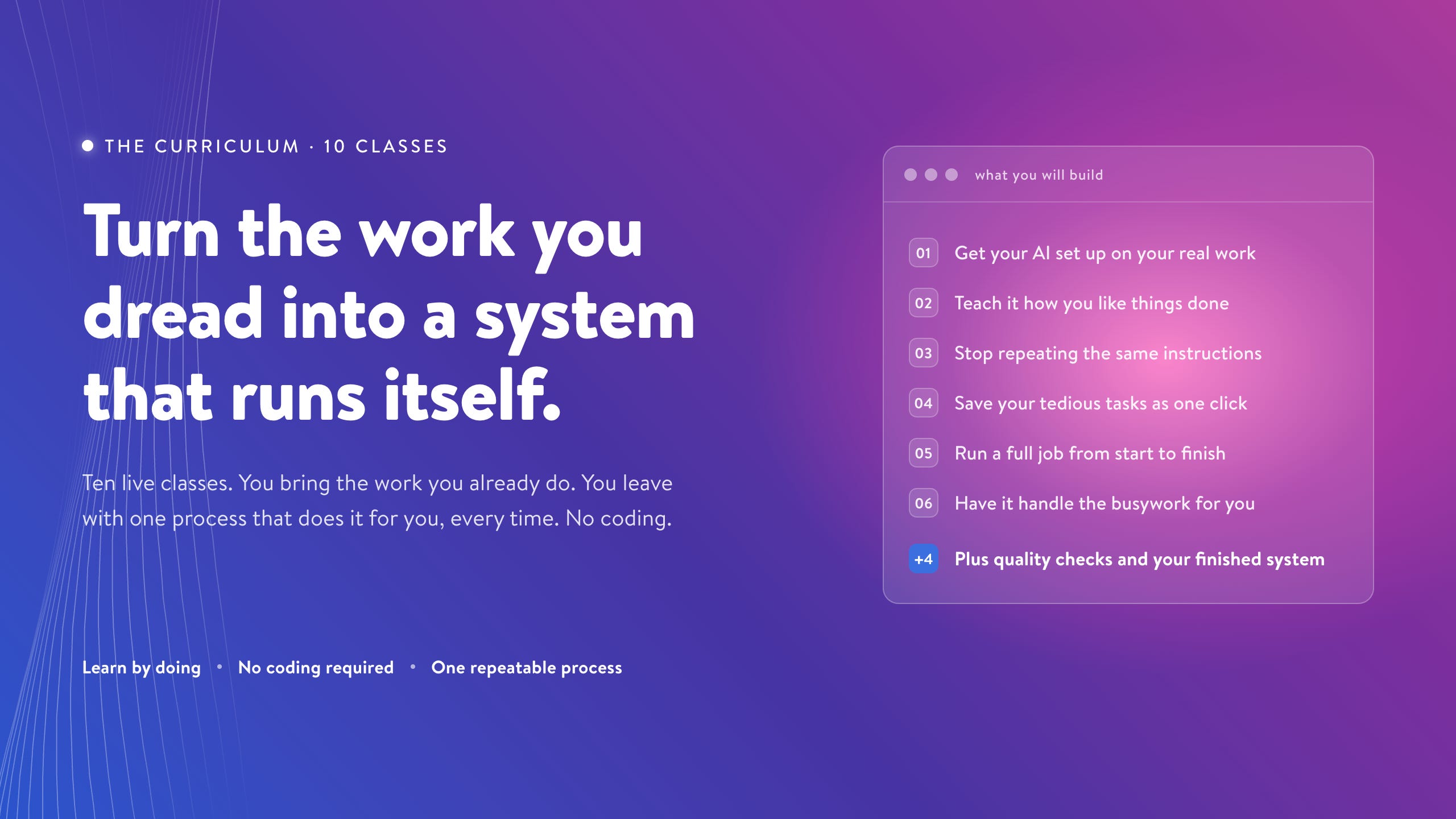
This is the 10-class build path inside Agentic Academy.
Each class adds one layer to your AI work system. You start with your real project, teach Claude how you work, turn repeated tasks into reusable skills, connect the tools you already use, and end with one process you can keep running after the cohort.
You are not learning Claude Code as a list of features. You are learning it by building a system around work you already need to do.
Before the first live session, Chat X-Ray helps you turn your ChatGPT or Claude history into context you can use to power all of your projects.
By the end of pre-work: you know which project to build around first.
What happens:
Export your ChatGPT or Claude history.
Run Chat X-Ray and review the report.
Choose the project with the strongest payoff for the cohort.
Gather the files your first project needs.
Bring one recurring process you want Claude to help with by the end of the cohort.
You walk away with: a starter project folder, a recommended process to build, and 1 to 3 starter skills based on patterns in your AI history.
Proof it worked: you arrive at Class 1 with a real project chosen, source material gathered, and a clear first process to improve.
By the end of this class: Claude Code is set up and running on your actual project.
What we build together:
Connect Claude Code to your starter project folder.
Run your first useful session on real material.
Notice what Claude understood correctly and what it missed.
Identify one recurring process you want to improve by Class 10.
Capture the first mistakes you do not want to keep correcting.
Example use cases:
Content creators test Claude on a draft, idea, or content archive.
Consultants test Claude on client notes, a proposal, or a deliverable.
Entrepreneurs test Claude on strategy notes, customer research, or positioning.
Knowledge workers test Claude on project notes, meeting notes, or a report.
You walk away with: a working Claude Code setup, one useful output from your own project, and a first-session reflection.
Proof it worked: Claude Code is running, you have completed one useful session, and you know which process you want to improve during the cohort.
By the end of this class: Claude stops acting like a blank chat box and starts understanding one real project.
What we build together:
Create the project home base Claude reads before helping you.
Define what the project is and who the work serves.
Write down what good output looks like.
Add the rules Claude should follow and the mistakes it should avoid.
Run the same task with and without the home base so you can see the difference.
Example use cases:
Content creators define audience, voice, content pillars, and publishing standards.
Consultants define client types, service offers, deliverable standards, and communication boundaries.
Entrepreneurs define the product, market, customers, priorities, and current constraints.
Knowledge workers define active projects, stakeholders, report formats, and decision criteria.
You walk away with: a first version of your CLAUDE.md, plus a before-and-after test showing how output changes when Claude has the right project instructions.
Proof it worked: Claude can summarize the project accurately, follow at least three project-specific rules, and explain what files matter most.
By the end of this class: Claude knows where to find the right source material for different tasks.
What we build together:
Choose the highest-value files for your project.
Organize examples, notes, templates, plans, decisions, and research.
Create clear folder names and useful filenames.
Build a reference routing table so Claude knows what to read for each task.
Clean one messy folder into a structure Claude can navigate.
Learn why Claude should not read every file for every task.
Example use cases:
Content creators organize published posts, best-performing social posts, drafts, voice notes, audience research, and content plans.
Consultants organize case studies, proposal templates, client notes, frameworks, past deliverables, and onboarding documents.
Entrepreneurs organize market research, competitor notes, customer interviews, product specs, positioning docs, and strategy notes.
Knowledge workers organize project plans, meeting notes, research summaries, reporting templates, and decision logs.
You walk away with: an organized project folder, a reference routing table, and one output that uses the right source material instead of starting from whatever you pasted into chat.
Proof it worked: Claude can identify which files it should read for a task and use at least one source file correctly.
By the end of this class: the feedback you keep giving Claude starts improving future work.
What we build together:
Name the mistakes Claude has already made in your project.
Decide what belongs in memory, what belongs in CLAUDE.md, and what belongs in a specific rule.
Turn real output problems into saved corrections.
Create rules that apply to specific kinds of work.
Test whether Claude avoids a mistake it made before.
Example use cases:
Content creators stop Claude from using phrases, structures, or tone that do not fit their voice.
Consultants make Claude follow client communication preferences and deliverable standards.
Entrepreneurs keep Claude aligned with product positioning, brand language, and current priorities.
Knowledge workers make Claude follow reporting formats and use the right level of detail.
You walk away with: a correction log, five saved corrections, two project rules, and one before-and-after test showing a mistake Claude is less likely to repeat.
Proof it worked: Claude avoids at least one repeated mistake, and you can explain where future corrections should live.
By the end of this class: the work you repeat every week can run through skills instead of starting from a blank prompt.
What we build together:
Install the 10-skill Skill Library for your archetype.
Learn what makes a good skill: trigger, inputs, steps, references, output format, and quality standard.
Customize one skill from the library for your project.
Build one new skill from scratch for a recurring task the library does not cover.
Test skills on real work and score the output.
Example skill categories:
Content creators get skills for drafting, editing, voice checks, repurposing, ideation, research synthesis, headlines, social posts, content calendaring, and archive search.
Consultants get skills for client prep, proposal drafting, meeting summaries, follow-ups, case study extraction, discovery flows, deliverable formatting, client research, onboarding docs, and testimonial drafting.
Entrepreneurs get skills for market research, customer interview synthesis, positioning drafts, competitor analysis, founder content, pitch refinement, customer language extraction, strategic briefs, decision memos, and OKRs.
Knowledge workers get skills for meeting summaries, status reports, research briefs, stakeholder updates, decision memos, project synthesis, executive summaries, action item extraction, cross-team reports, and weekly reviews.
You walk away with: a 10-skill Skill Library, one customized skill, one custom-built skill, and a test log showing how the skills performed on real work.
Proof it worked: you have used at least three library skills on real work, improved one skill, and built one skill for your own recurring task.
By the end of this class: one messy input can move through a process Claude can run again.
What we build together:
Choose one recurring task and break it into steps.
Connect your project instructions, rules, source files, and at least one skill.
Define the input, output, and sequence of the process.
Add a simple quality check at the end.
Use the Independence Test to see which steps must happen in order and which could run in parallel.
Run the process more than once and track what improves.
Example use cases:
Content creators turn a brain dump into an outline, gather raw material from several sources, then draft and edit.
Consultants turn a client brief into parallel research threads, then synthesize them into a prep brief.
Entrepreneurs research market size, customer pain points, and competitors, then turn the result into a go or no-go recommendation.
Knowledge workers summarize several project updates, then synthesize them into one status report with dependencies flagged.
You walk away with: one start-to-finish process that takes a real input and produces a finished output, plus three test runs showing what worked, what needed fixing, and which steps could run in parallel.
Proof it worked: the process works on real input and either saves time, improves quality, or makes the work easier to repeat.
By the end of this class: bigger work can be split across subagents with clear roles instead of crammed into one overloaded chat.
What we build together:
Learn when to use a skill, when to use one subagent, and when parallel subagents make sense.
Define what each subagent should see and what it should ignore.
Design the synthesis step that combines delegated work.
Build one delegated flow for research, writing, analysis, review, or synthesis.
Compare the delegated version against the main Claude session.
Example use cases:
Content creators use a voice-check agent, a repurposing agent, or parallel agents for LinkedIn, X, and newsletter versions.
Consultants use subagents to research the client, the industry, and competitors before a meeting, then synthesize the prep.
Entrepreneurs run market size, customer pain, and competitive research in parallel before making a positioning decision.
Knowledge workers summarize several project updates in parallel, then synthesize them into a cross-project status report.
You walk away with: one working subagent or delegated role, clear boundaries for what it can see, and a comparison showing when delegation improves the work.
Proof it worked: you can explain what each subagent sees, why it exists, and whether it improved the work compared with one general chat.
By the end of this class: Claude can help more safely because your system has boundaries and tests.
What we build together:
Learn the few terminal concepts a non-technical user actually needs.
Set permissions in plain language.
Decide what Claude can do automatically, what it should ask about first, and what it should not do blindly.
Add one repeatable quality check.
Run a simple eval against three real tasks.
Compare output before and after the trust layer.
Example checks:
Content creators add a source check, voice check, or factual accuracy eval.
Consultants add a client deliverable check or professionalism eval.
Entrepreneurs add a positioning check or strategic usefulness eval.
Knowledge workers add a report format check or completeness eval.
You walk away with: a permission setup you understand, one quality check, a simple eval, and an improvement plan for the part of the system that still needs work.
Proof it worked: you can run your process with clearer boundaries, review risky changes, and see whether quality or time saved improved.
By the end of this class: Claude can work closer to the apps and files you already use.
What we build together:
Choose one tool that matters for your capstone process.
Connect it to Claude Code.
Wire the connected tool into a skill or process you already built.
Test the process with and without the connected tool.
Decide whether one connected tool is enough or whether a second tool would meaningfully improve the work.
Example connections:
Meeting notes from tools like Granola.
Docs and email from Google Docs or Gmail.
Project material from Notion, Asana, ClickUp, or Slack.
Other tools that match the process you are building.
You walk away with: at least one connected tool, one integrated process, and a before-and-after comparison showing what the connection unlocked.
Proof it worked: the tool is wired into an existing process, and you can explain why that connection improves quality, saves time, or expands what Claude can help with.
By the end of this class: you have one complete AI process built around real work.
What we build together:
Run a real input through the system you built across the cohort.
Connect project instructions, organized source material, corrections, skills, workflow steps, subagents, quality checks, and connected tools.
Review whether the process supports your actual creative, client, operational, or business goal.
Compare the before and after.
Identify what is still imperfect.
Create a maintenance plan for improving the system after the cohort ends.
Capstone examples:
Content creators run idea to researched draft to voice edit to social repurposing.
Consultants run client notes to prep brief to proposal outline to follow-up email.
Entrepreneurs run customer research to insight summary, positioning options, strategic recommendation, and execution plan.
Knowledge workers run meeting notes and project files to status report, risks, decisions, and next actions.
You walk away with: one complete process you can run again, one real input, one real output, before-and-after proof of quality or time saved, and a maintenance plan for improving the system after the cohort ends.
Proof it worked: you can run the process again without rebuilding the whole prompt, explain how the system works in plain language, and name what you will improve next.
The Full Arc
The first classes teach Claude what your work is. The middle classes turn your repeated work into skills and processes. The final classes add delegation, quality control, connected tools, and a finished process you can keep improving.
By the end, you have more than one useful AI output. You have the structure for building the next process yourself.
The cohort begins with a prep session on June 15, and the first live class on June 22.